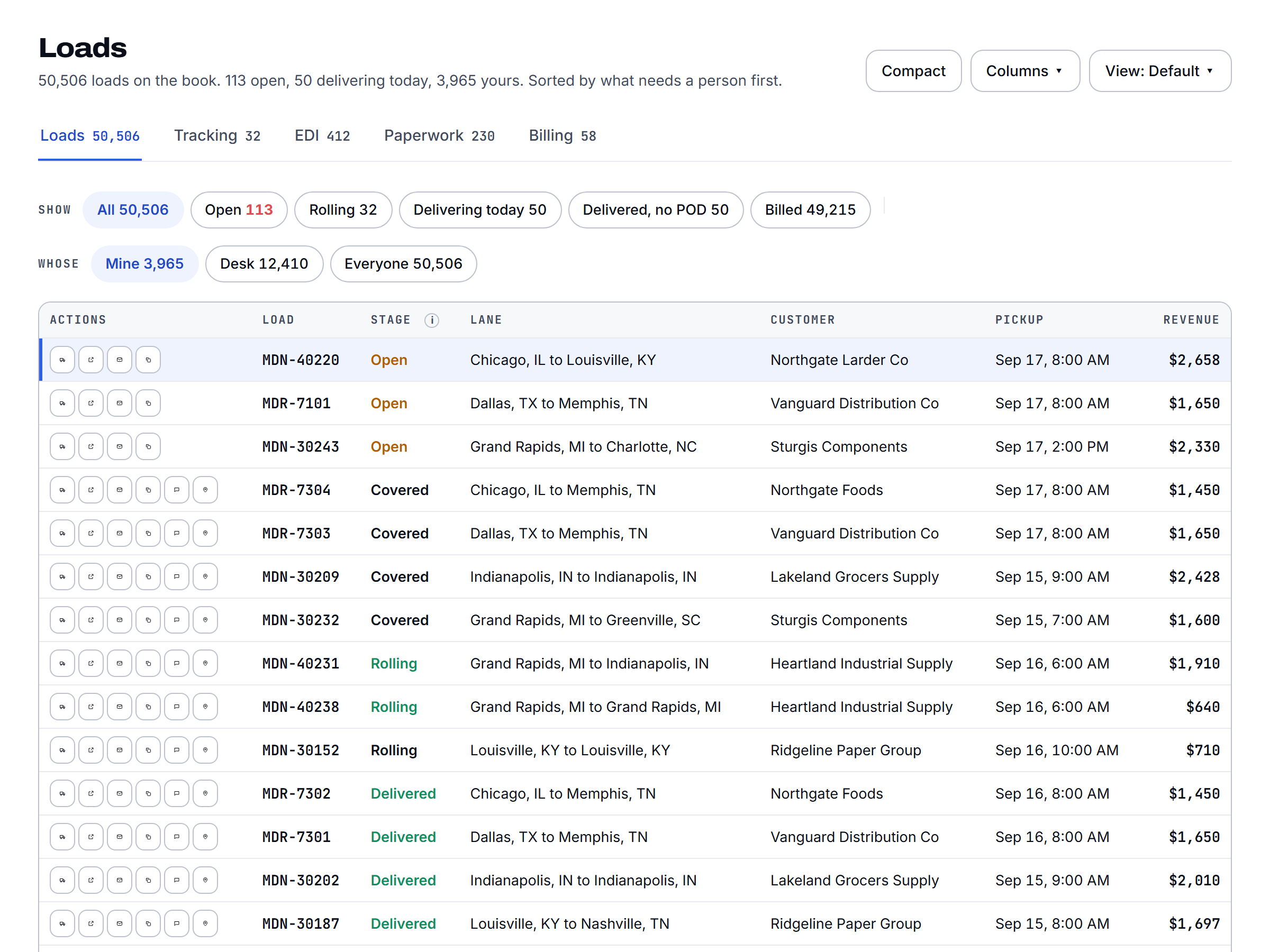
Scout builds the load off the tender. Then it gets the driver dispatched right, calls and texts him the whole way, catches the problem before the scheduled check, and hands your rep the next step already written. The floor handles what needs a person.
The tender comes in. Scout checks it against what you committed to that customer: the lane, the volume, the rate. Then it builds the load in your TMS with pickup, delivery, appointments, references, and the customer's rules carried over. A tender outside your commitment, or one pushing past your committed volume, gets flagged before anyone accepts it. For the customers you choose, Scout accepts the in-award tenders on its own. Everything else waits for your rep. That's a switch you own, customer by customer.
Explore load building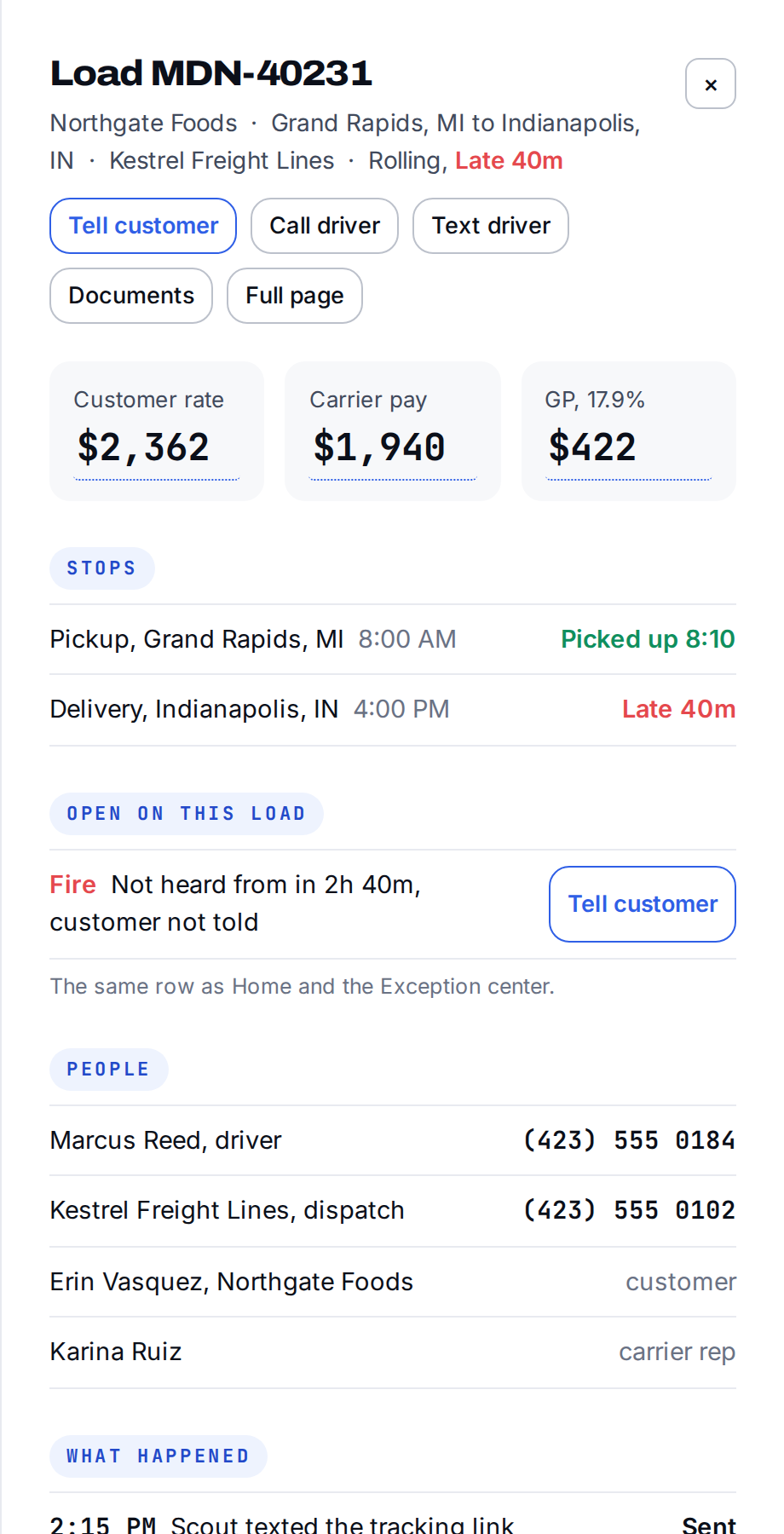
A customer emails a tender. Or pastes a screenshot of a spreadsheet into the email, because that's what customers do. Scout reads it when it arrives. No button to press. It never dead-ends on "no load detected." Whatever it read is already in the load form, with the document next to it.
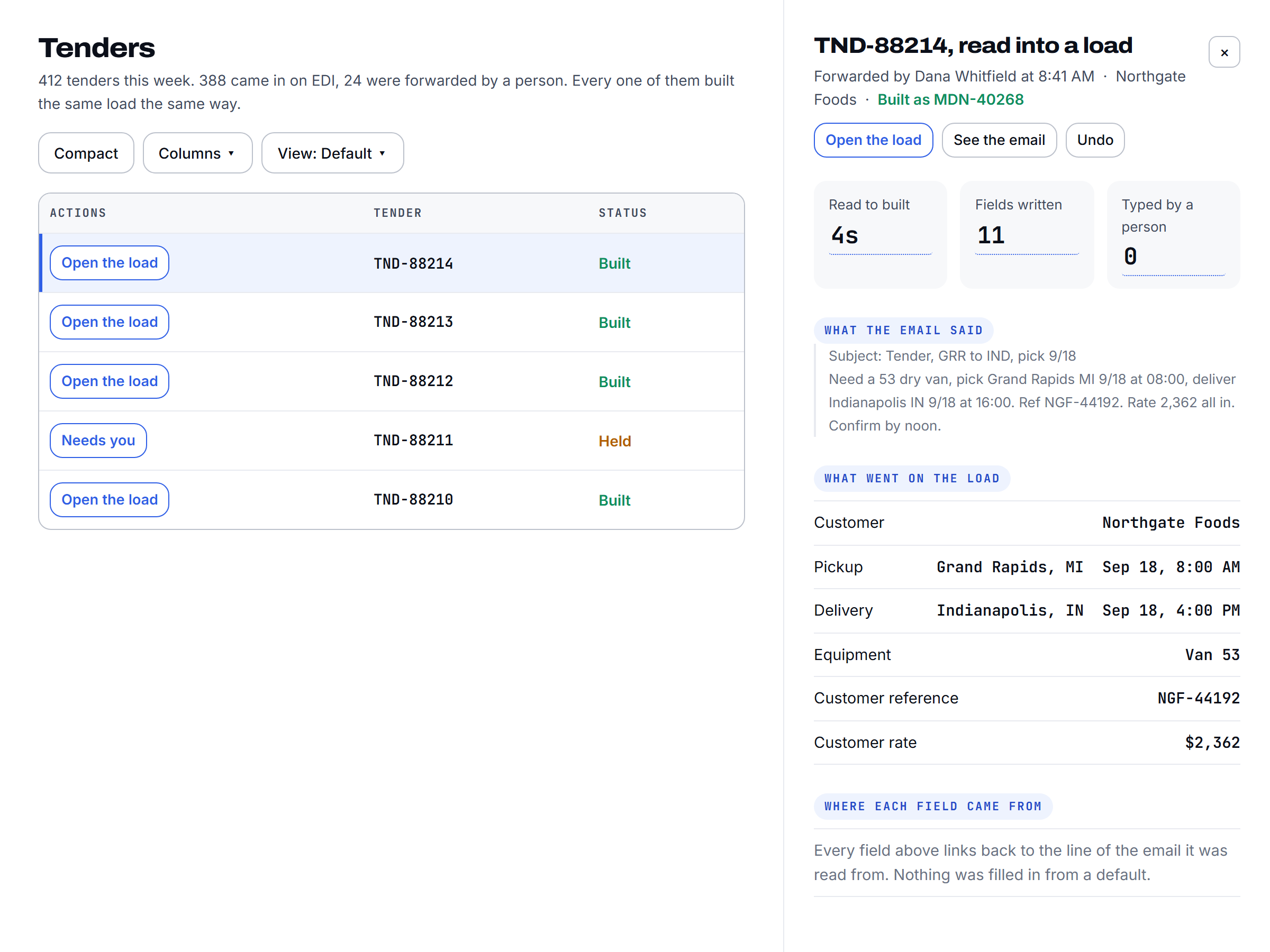
A person should never have to check a load Scout built. So a second agent does. Field by field, against the tender. If something's off, the load is held off the board and the field is named. Your rep's morning isn't spent double-checking software.
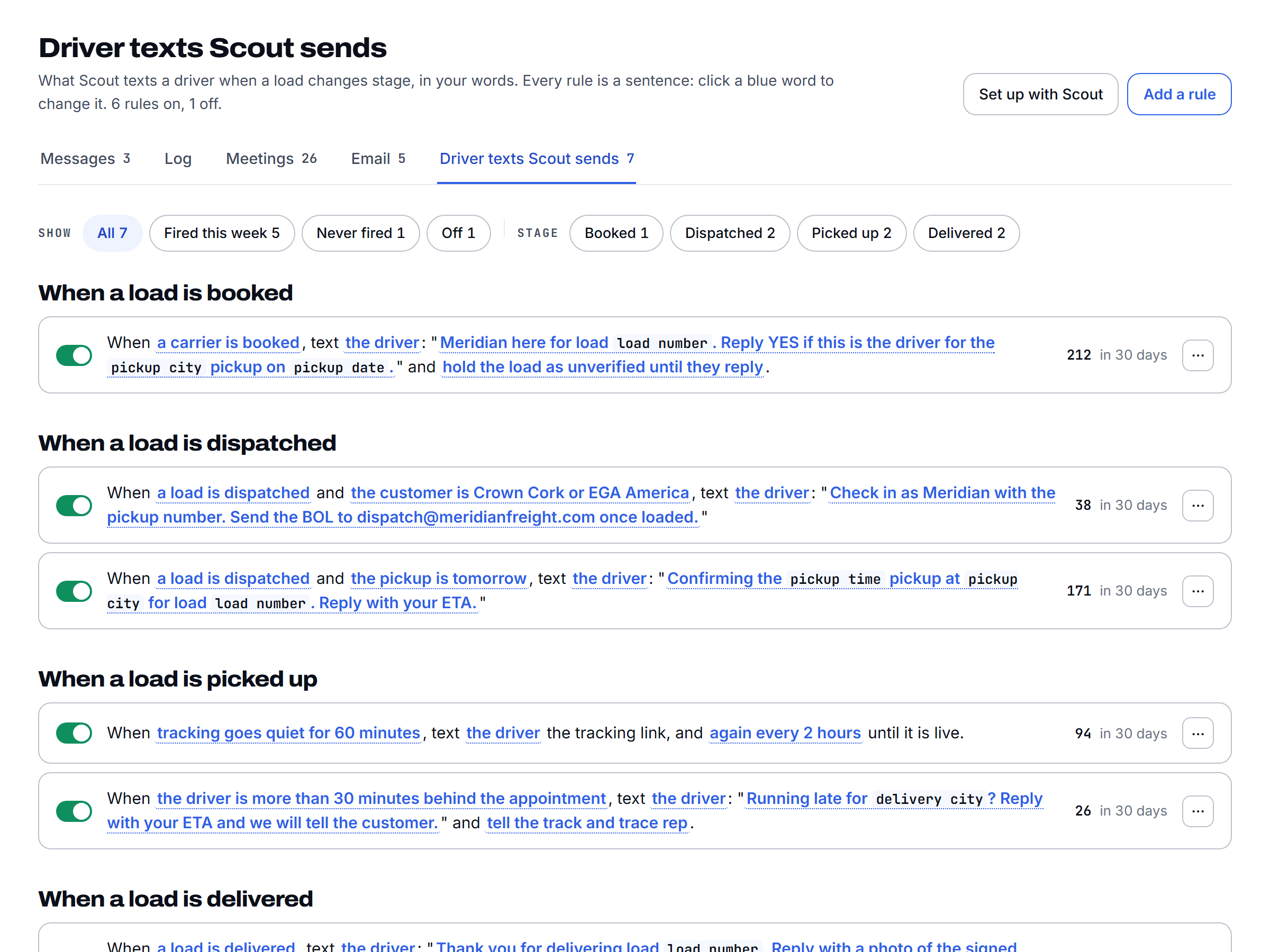
Before a driver gets the pickup address, Scout calls him. Hours left. Does he know the delivery appointment. Trailer photos if the customer requires them. Tracking accepted. Photos, then tracking, then the address, in that order, every time. If the math says he can't make the pickup from where he's empty, your carrier rep knows while there's still time to re-cover.
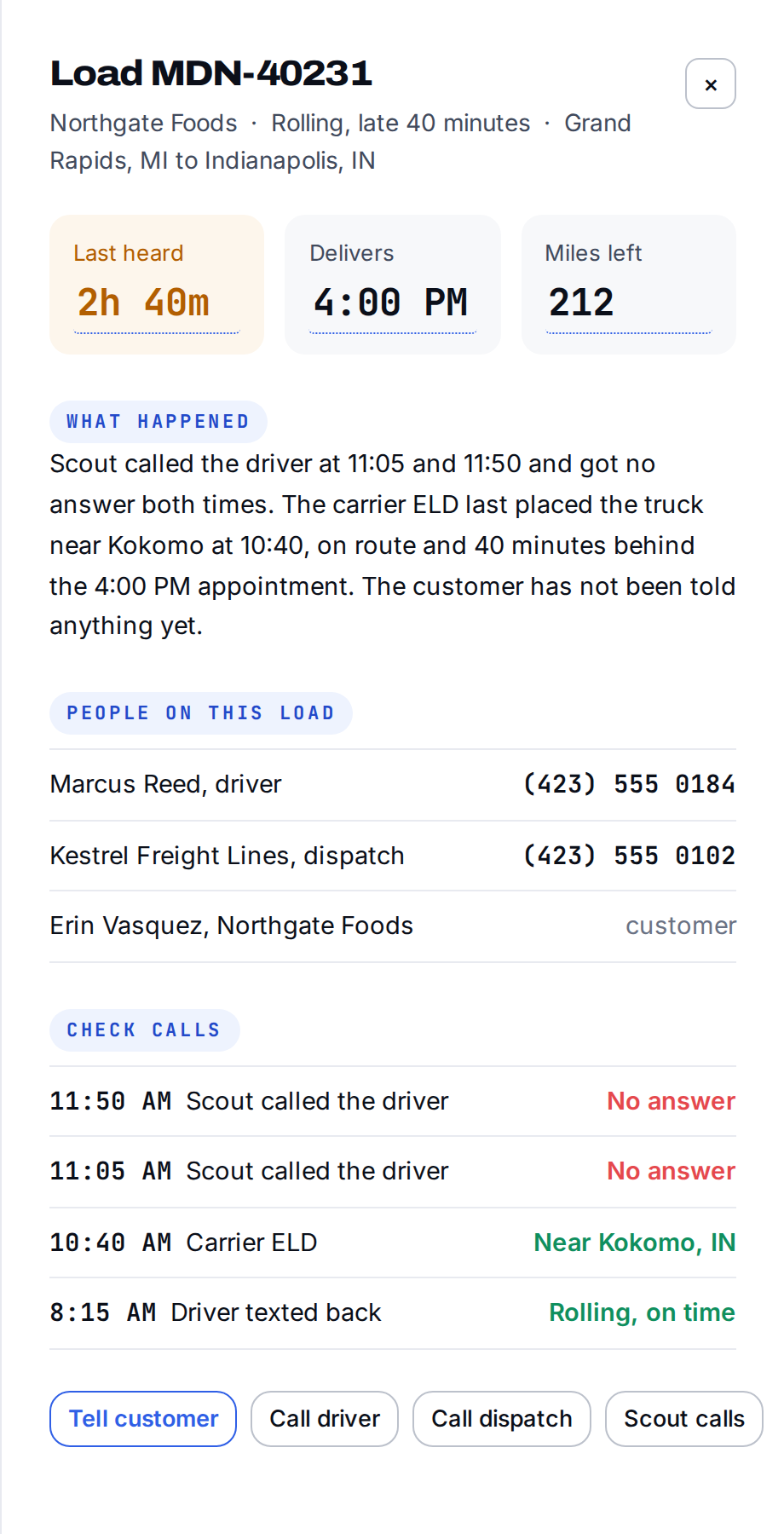
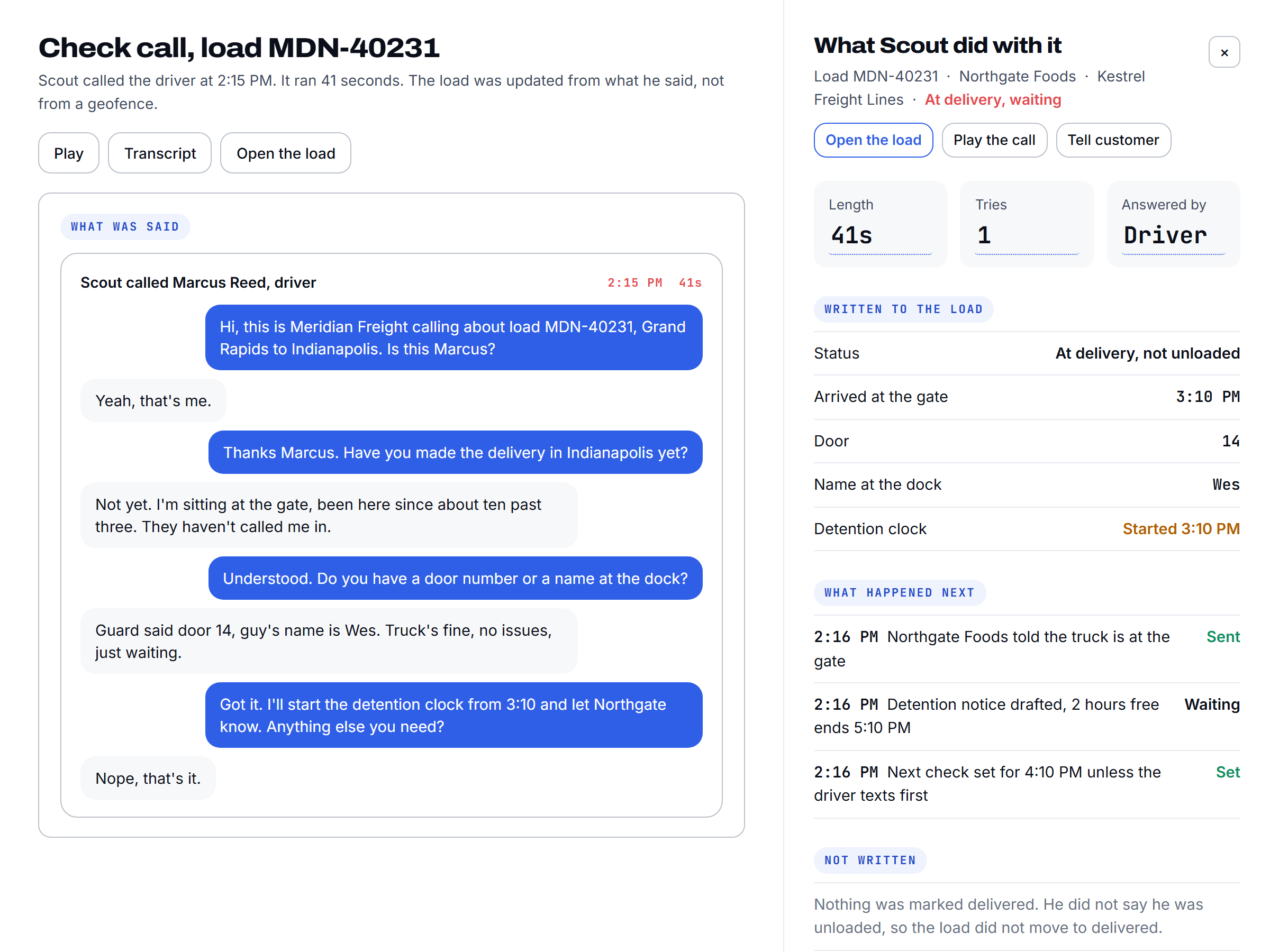
Check calls run from pickup to delivery on a cadence set by transit time. When the truck is on pace, the ping stands in for the call. The last check before an appointment is always a call. Nothing gets marked arrived or loaded off a geofence. The driver says so, or it didn't happen.
Explore check callsOn pace, the pings stand in for the calls and only the last check before the appointment is a call. Behind pace, a call goes out now and the rep is told at the same time.
A Spanish-speaking driver gets the same call, in the same order, in Spanish. The texts after it too. Not just Spanish.
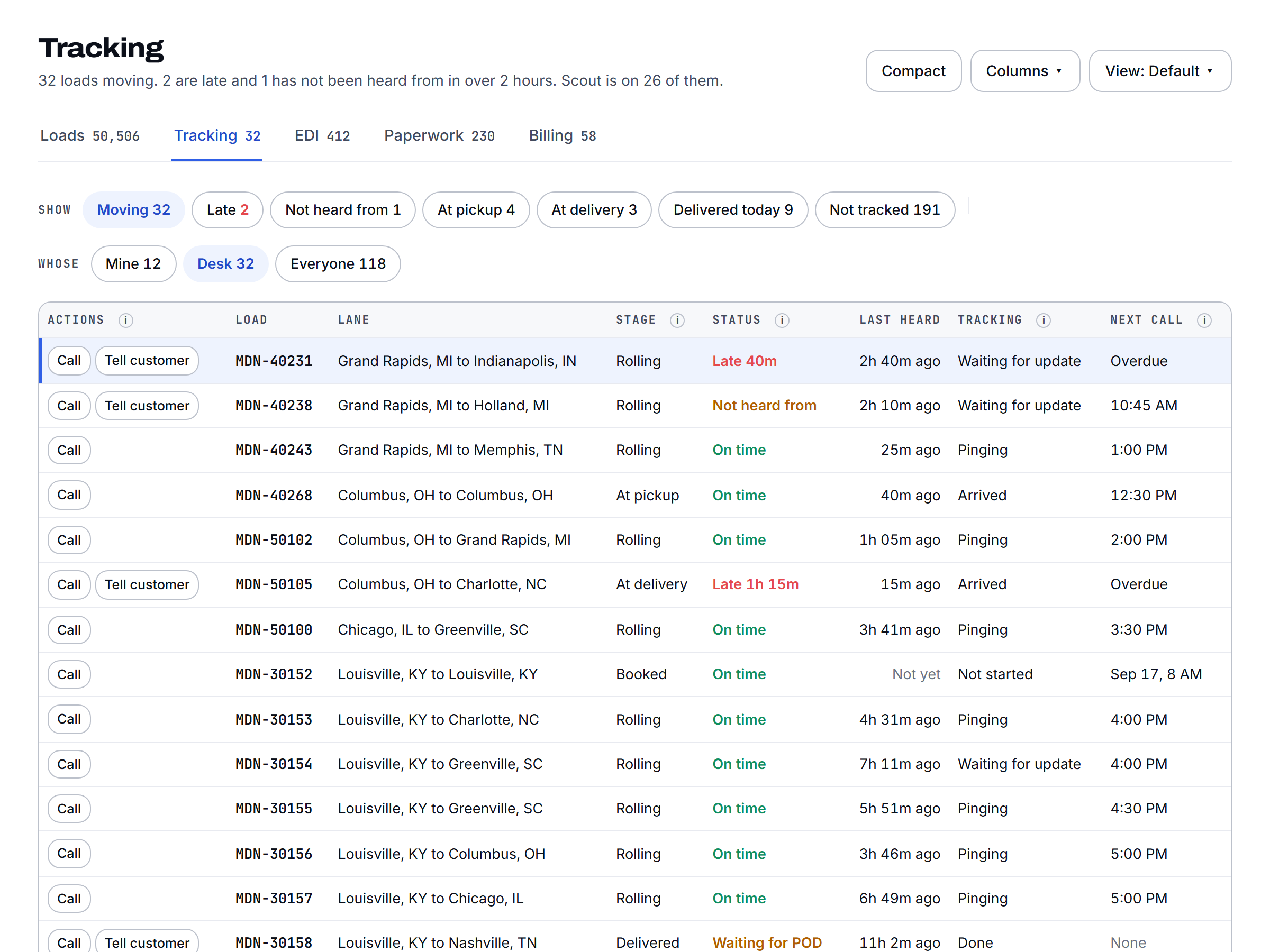
A stop that wasn't planned. A ping gone stale. Off route. Behind pace. A reefer out of range. Every rolling load is watched, and how much time is left decides the response: plenty of slack gets a text, a tight clock gets a call right now, and your rep gets the heads up at the same time.
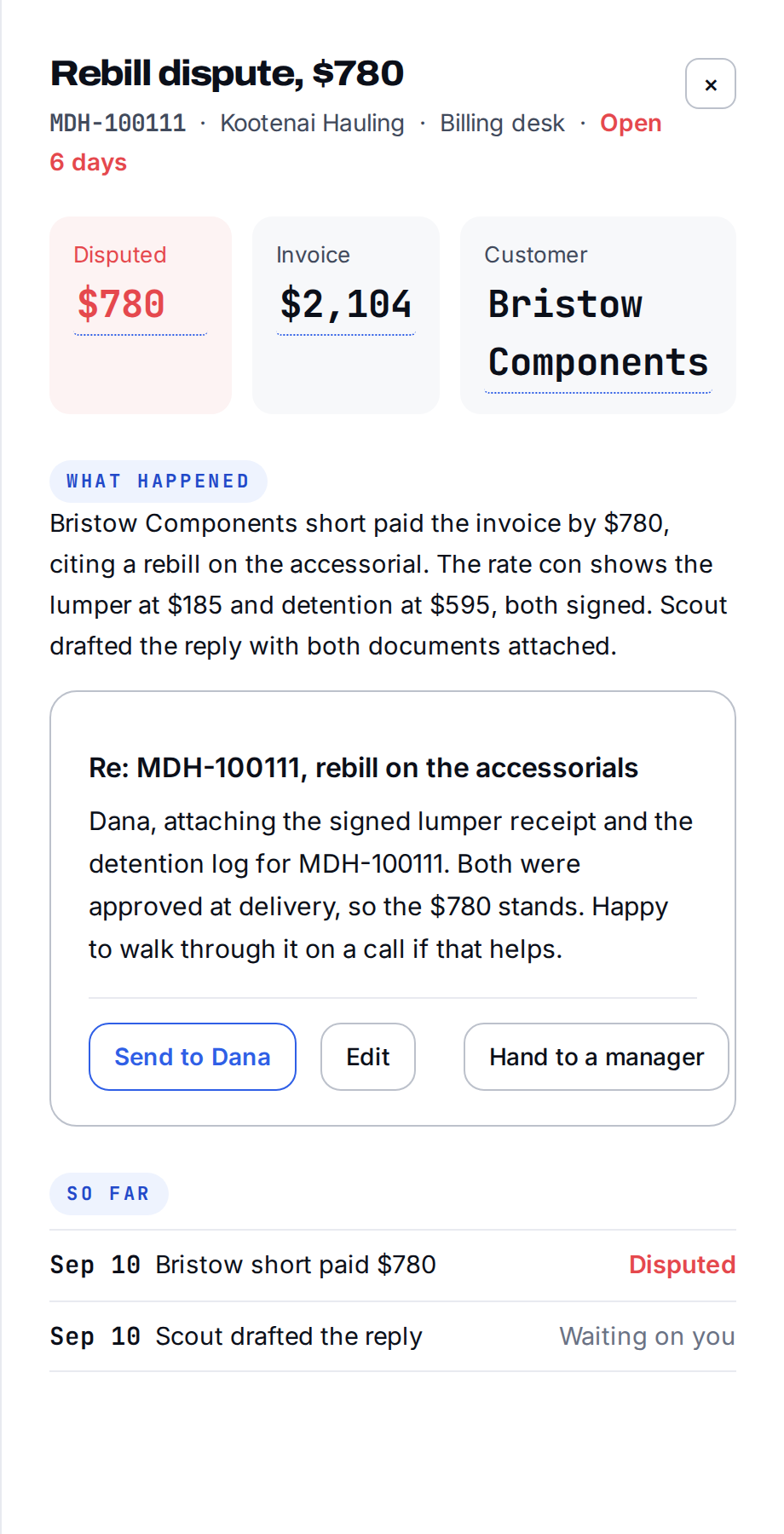
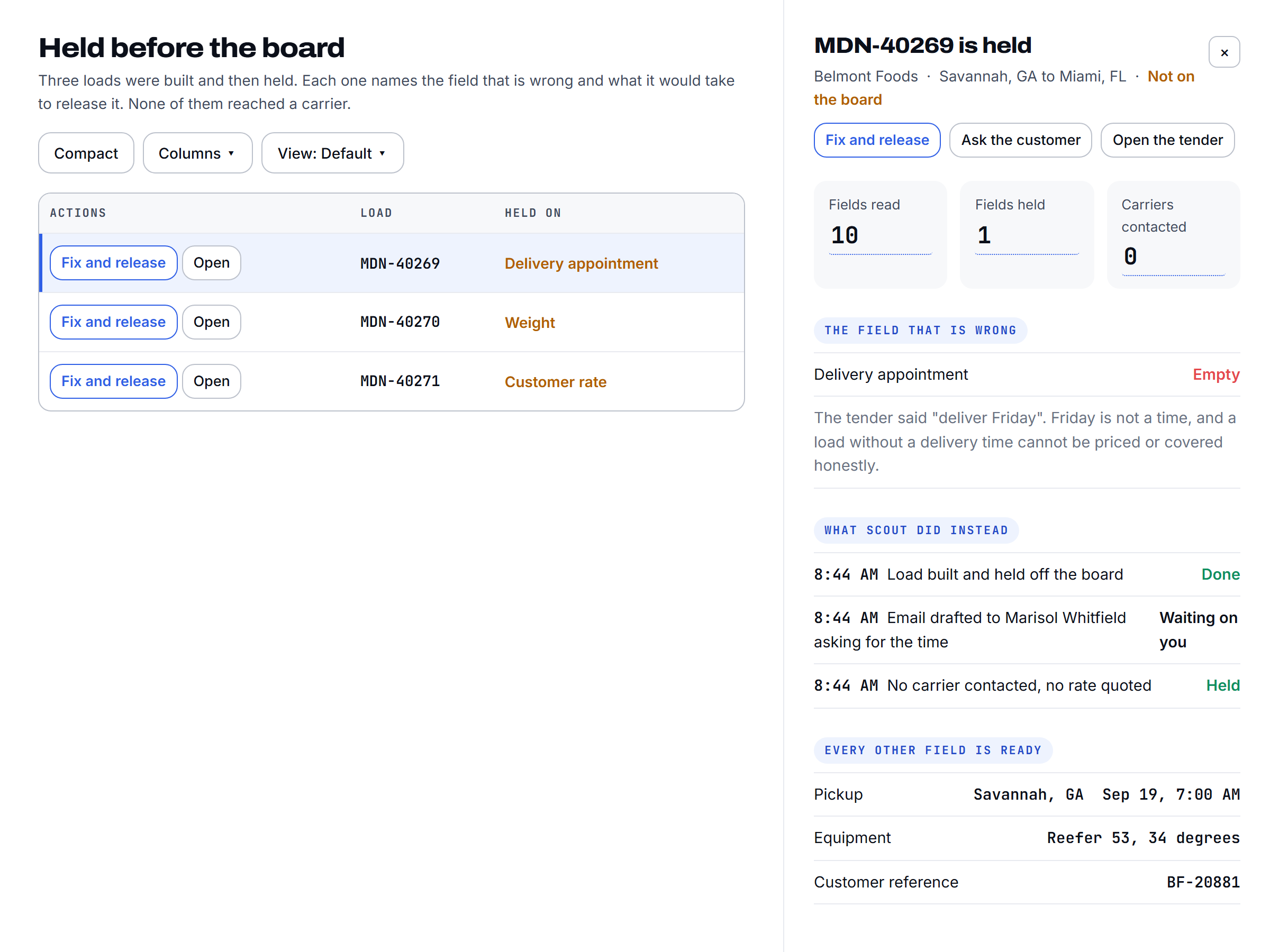
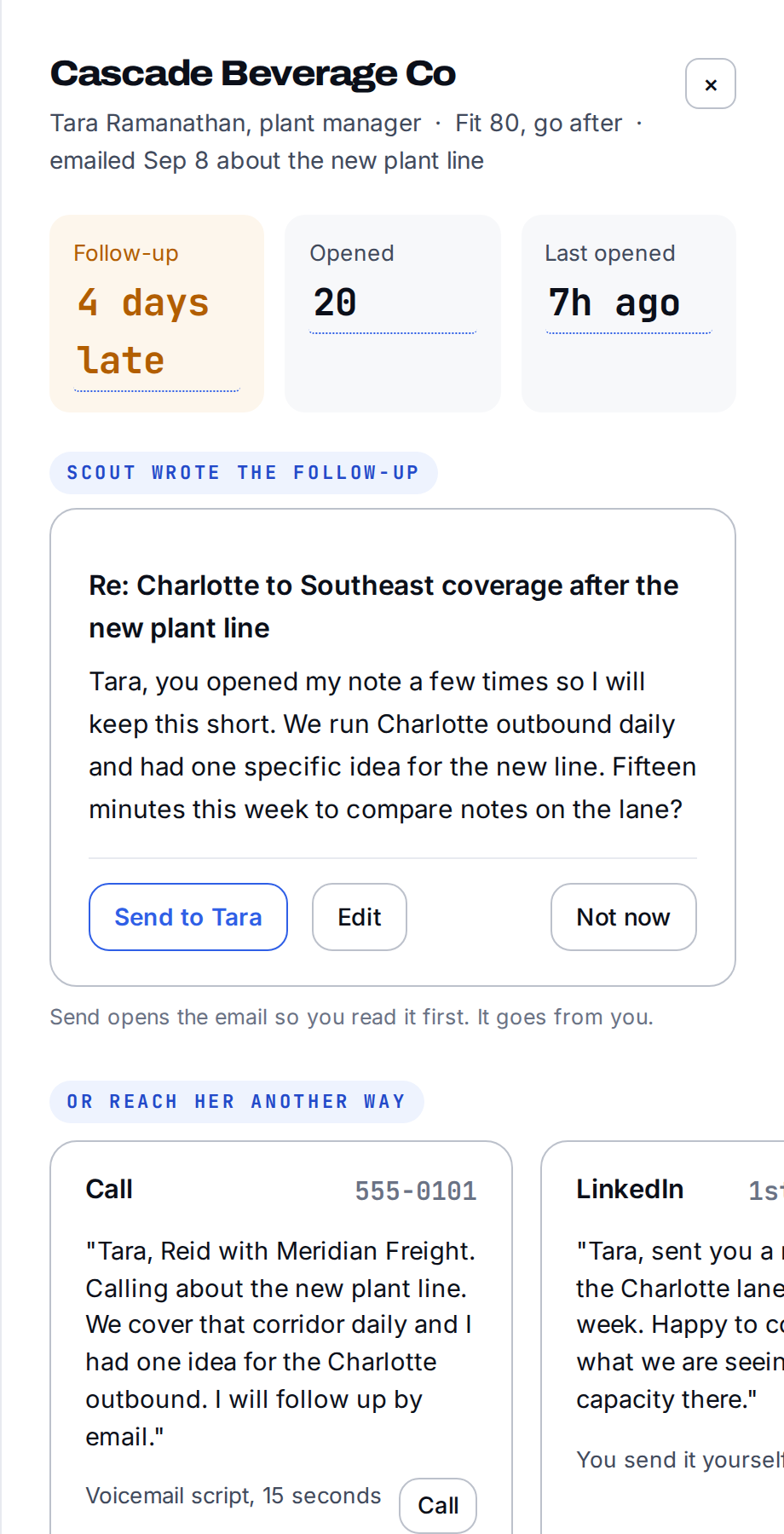
Driver running late? Scout gets the reason and the new ETA, and your customer ops rep gets the delay email to the customer already drafted. One click to send. Same for the pre-detention notice, detention started, and a re-cover. Your rep gets a finished step with a button, never just a fact.
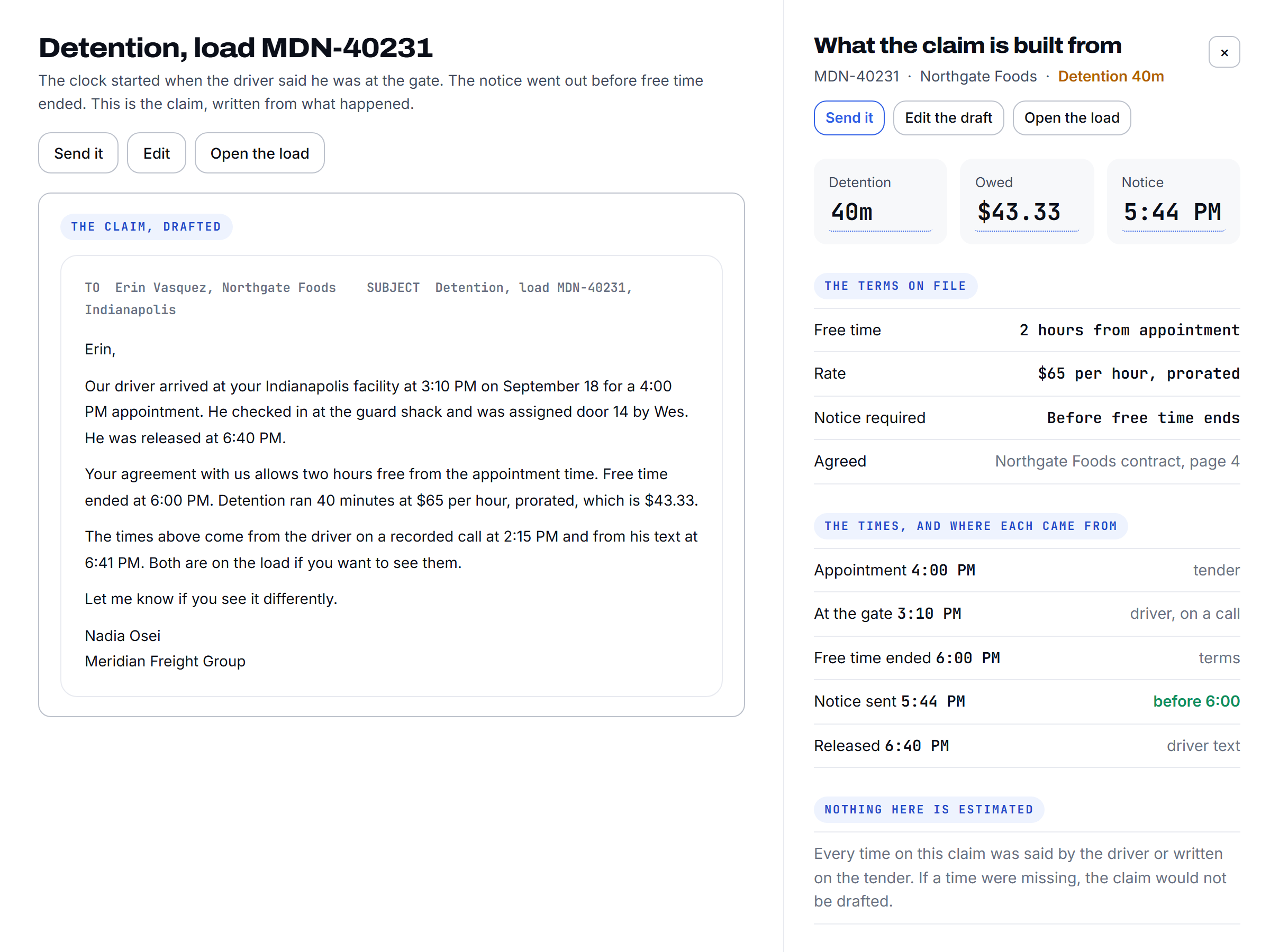
Scout knows each customer's detention terms. The driver texts when he's checked in, and that starts the clock. The notice goes out before detention starts, with the times and the name of the person at the dock on it.
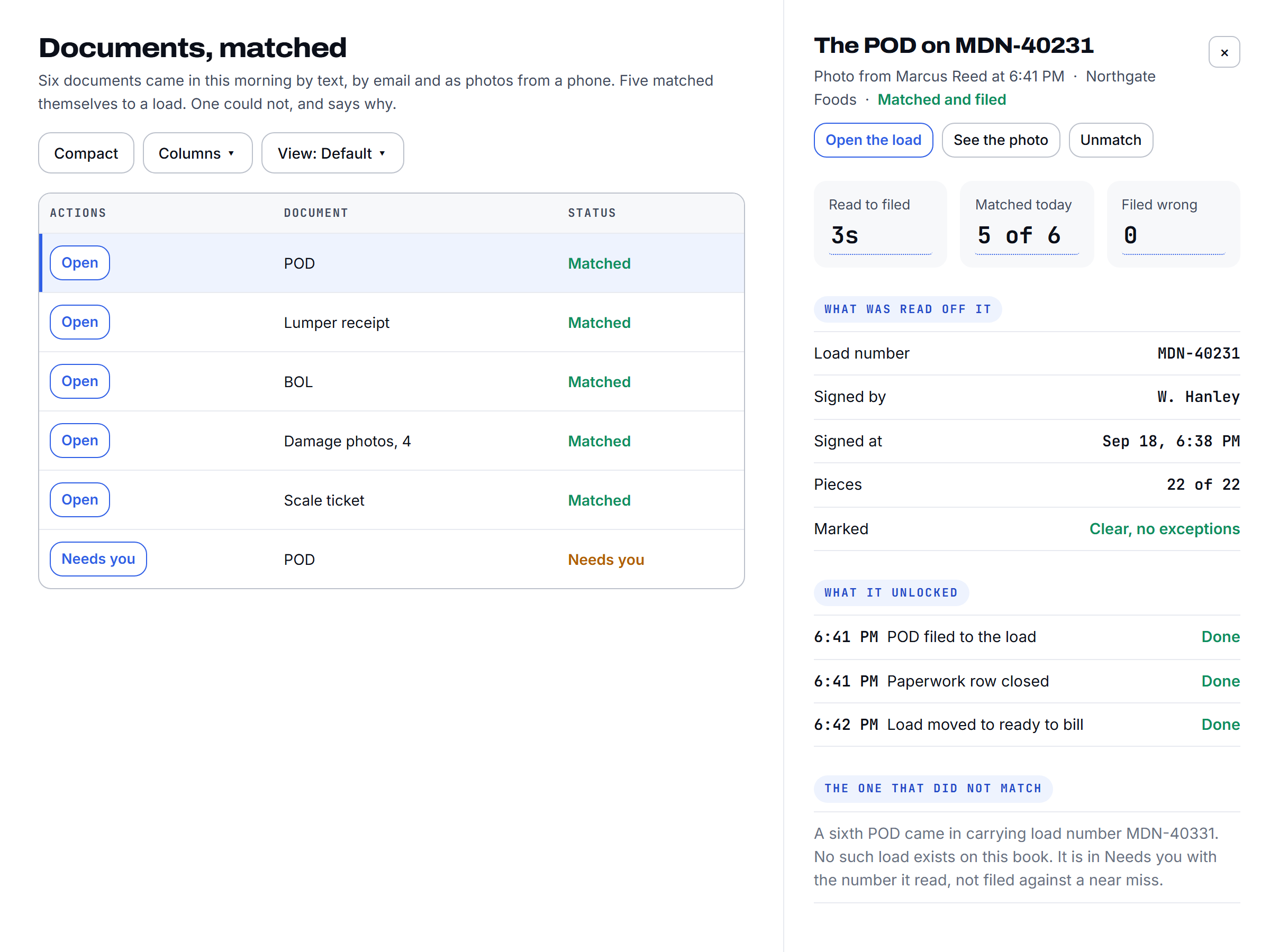
Wrong BOL means wrong freight to the wrong place, found out days later. Scout confirms the BOL against the load before the truck rolls. Seal and temp too, when the load has them. A mismatch holds the driver at the dock and your rep decides.
Scout answers the inbound line. A caller who can't be verified never hears an address, a pickup number, or whether the load exists. A new driver's number doesn't get changed because somebody called and said so. It gets confirmed with the carrier's dispatch of record first.
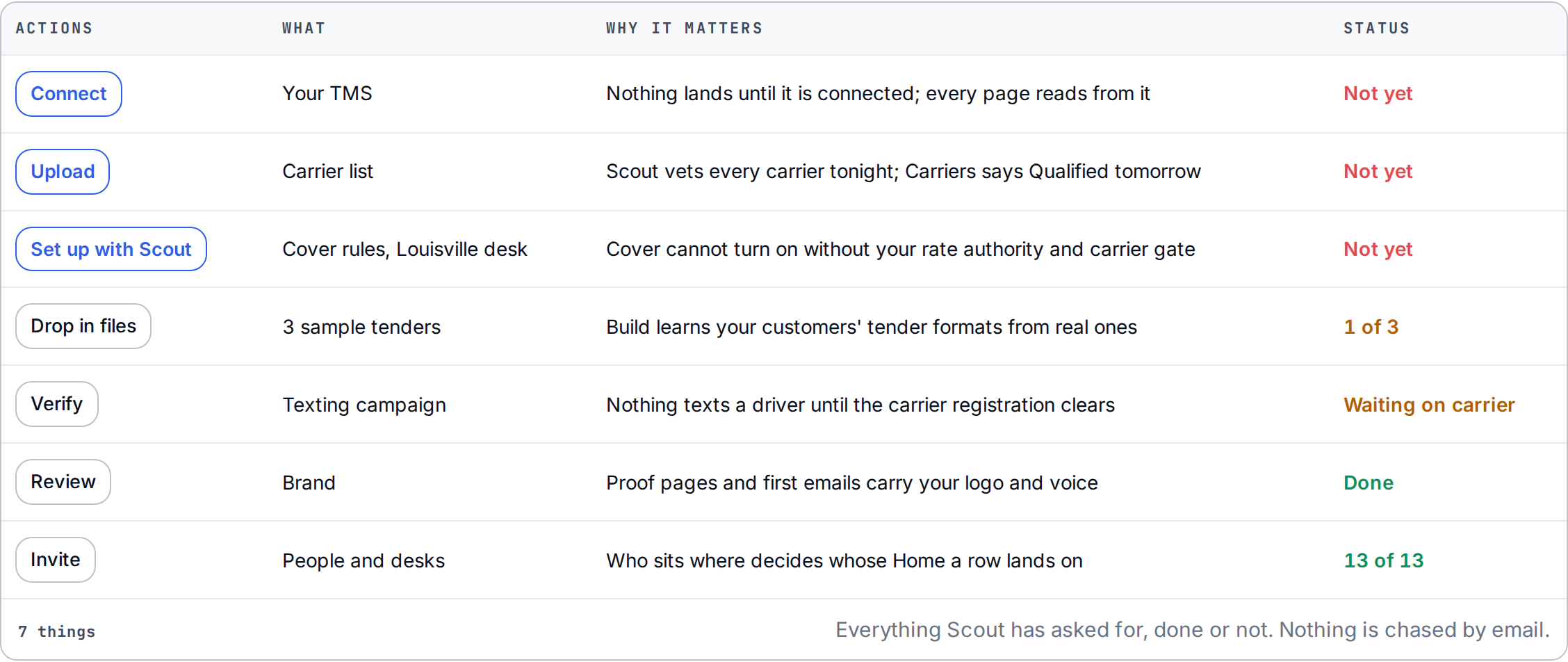
One list. Each row says what happened, what Scout already did, and what it needs from you.
Go deeper: Load building · Check calls
No. It reads the one you run. No migration. No second system to feed.
No. If your customer requires them, they stay.
If he asks, yes.
No. Detention, lumpers, layover all go to your rep as a drafted step.